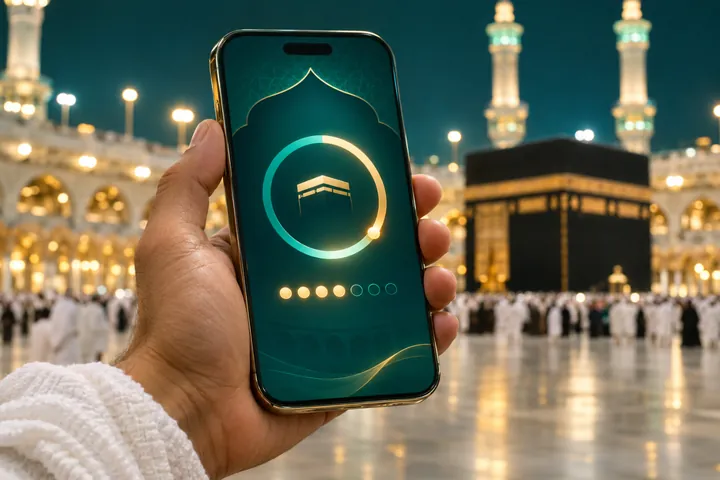
UmraHajj.com offers free interactive tools that work on any phone, with no sign-up. This article is a short guide to using our tools: what each one does, when it helps most and how your information is stored. You can see every tool together on the tools page.
Planning tools
Start here if you are using our tools for the first time. These help you choose dates, decide on nights and check you are ready.
- Umrah trip planner — choose your nights in Makkah and Madinah and get a day-by-day outline. You can send it straight to the quote form.
- Ramadan countdown — see how long remains until Ramadan and the last ten nights.
- Hajj route finder — find the official Hajj registration route for your country.
- Umrah readiness quiz — a short quiz that checks your knowledge of the rites and your preparation.
- Ziyarat route planner — plan visits to historic sites in Makkah and Madinah in a sensible order.
- Makkah and Madinah weather — typical conditions so you can plan clothing and the best times to walk.
Preparation and worship tools
Using our tools during worship keeps your attention on the rites rather than on counting rounds or searching for words.
- Umrah checklist — an interactive packing list that remembers what you have ticked.
- Ihram checker — check what is and is not allowed while in ihram.
- Miqat finder — find your Miqat from your route so you are in ihram in time, including on a flight.
- Tawaf and sa‘i counter — large buttons to count your seven rounds without losing track.
- Dua finder — find duas for each stage with Arabic, transliteration and meaning.
Using our tools step by step
Before you book
Try the readiness quiz, plan your nights with the trip planner and check the weather for your dates.
Send your plan
Use the trip planner’s button to open the quote form with your nights already filled in.
Two weeks before
Work through the checklist and read the ihram checker.
On the way
Open the Miqat finder before your flight reaches the Miqat.
In Makkah and Madinah
Use the counter and dua finder during Umrah, and the Ziyarat route planner for visits.
Tips for using our tools on the journey
Add your favourite tools to your phone’s home screen before you travel so they open instantly, even when the signal inside the Haram is weak. Turn up your screen brightness in strong sunlight, and keep a power bank handy.
Because data is stored on each device, your checklist on a phone will not appear on a tablet. If several family members are using our tools, each person’s progress is kept separately on their own device.
If a tool does not work
Refresh the page, make sure your browser is up to date and check that local storage is not blocked. If a problem continues, tell us through the contact page with your device and browser name. Tools support your preparation, but official rules always come first: confirm permits and requirements on Nusuk.
We add and improve tools over time based on what pilgrims tell us they need, so check the tools page before each trip for anything new.
Using our tools: frequently asked questions
Do I need an account?
No. Every tool is free and works without signing up.
Do the tools work offline?
Pages you have already opened may work with a weak signal, but a connection is recommended for the first load.
Is my information shared?
No. Tool data stays in your browser unless you submit a form. See our privacy policy.
Related articles
Turn your plan into a proposal
Send your trip planner outline and receive a tailored Umrah proposal.